Demystifying Photoshop Mockups: The Bridge Between Concept and Reality in 2026 Design
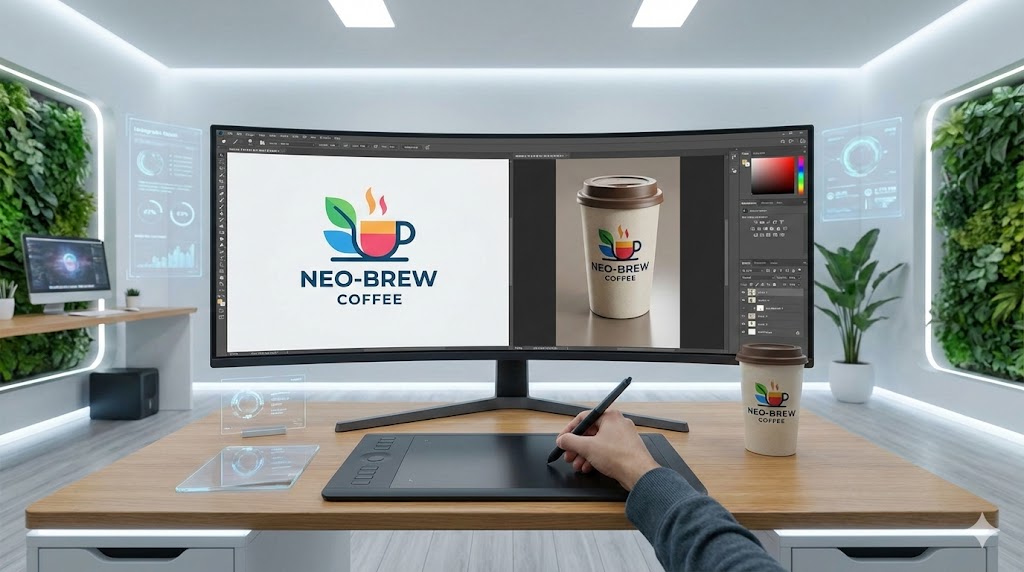
As we navigate the digital design landscape of 2026, one thing remains clear: no matter how much AI accelerates our workflows, the fundamental need to visualize ideas in the "real world" hasn't changed. Clients still need to see how a concept translates to physical space before a single cent is spent on production. This is where the designer’s most reliable tool comes into play: The Photoshop Mockup.
In this article, we explore what mockups are and why they remain the gold standard in the modern 2026 design workflow.
What is a Photoshop Mockup?
In its simplest definition, a mockup is a digital simulation that demonstrates how a flat design (like a logo, website interface, or packaging graphic) will look in a photorealistic environment.
In the context of Adobe Photoshop, a mockup is typically a layered PSD file. The magic of these files lies in a specific feature called "Smart Objects." As a designer, you paste your flat graphic into this smart layer, and Photoshop automatically warps, skews, and adjusts your design to fit the perspective, lighting, shadows, and texture of the target object—be it a t-shirt, a coffee mug, a billboard, or a holographic display.
The result? A high-quality image that looks as if the product was manufactured and photographed by a professional.
Why Mockups Are Crucial in 2026
Even though tools like Adobe Firefly and advanced 3D generators have revolutionized asset creation, the controlled precision of a classic PSD mockup remains unmatched for professional presentations.
Here is why they are indispensable:
-
Transforming the Abstract into the Concrete (Client Persuasion) Clients often struggle to think visually. If you send them a flat PDF of a logo, they might not understand how it translates to a storefront signage. When you present that same logo on a photorealistic signage mockup, you bridge the gap between imagination and reality. It creates that "Aha!" moment essential for approval.
-
Pre-Production Quality Control A packaging design might look perfect on your 8K monitor, but wrapping it around a cylinder might reveal that the text is unreadable or the logo is distorted. Mockups act as digital prototypes, allowing you to catch and fix design errors before the expensive printing process begins.
-
Elevating Portfolio Presentations Whether on Behance, Dribbble, or your personal portfolio site, displaying flat JPEGs is no longer sufficient in 2026. Showcasing your work in context (e.g., a business card resting on a textured wooden desk) increases the perceived value of your work and demonstrates professionalism.
-
Rapid Content for E-Commerce and Marketing Launching a product that hasn't been manufactured yet? Mockups allow you to generate thousands of product variations (colors, patterns, styles) for e-commerce listings or social media ads in seconds, without the need for a physical photoshoot.
Common Use Cases
Corporate Identity: Business cards, letterheads, envelopes, and folders.
Packaging Design: Boxes, bottles, pouches, and cans.
Apparel & Fashion: T-shirts, hoodies, and tote bags (where fabric texture integration is key).
Digital Products: Laptop screens for websites, smartphones for app interfaces.
Outdoor Advertising: Billboards, bus stops, and shop facades.
Conclusion
In 2026, while technology continues to evolve, the human eye still craves realism and context. Photoshop mockups are not just "decoration"; they are a fundamental pillar of the design process, client communication, and marketing. Taking your design off a flat screen and placing it into a living, breathing environment is the step that brings your creative vision to life.
Get plugin tips in your inbox
Join 2,000+ developers and creators. I share tips on Photoshop automation, UXP development, and indie hacking. No spam, ever.