From Pixels to Professionalism: A Comprehensive Guide to Design Mock-ups and Portfolio Excellence
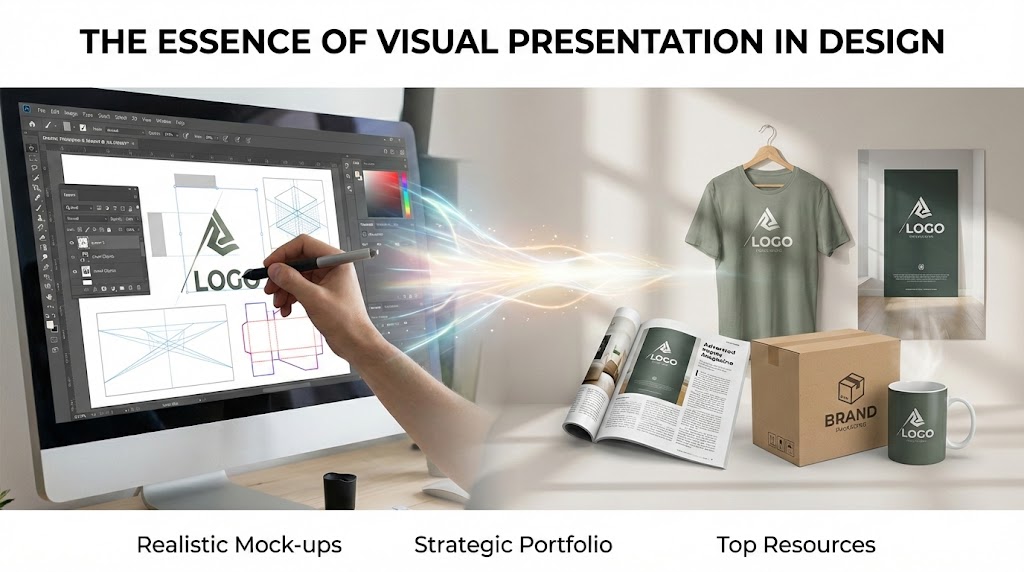
The Essence of Visual Presentation in Design
In the competitive field of graphic design, the quality of a project is often judged by how it is presented to a client or employer. A mock-up is a specialized design file used to present works to customers in an aesthetic and realistic manner before they proceed to the final printing stage. By simulating how a 2D design will look on a 3D object, mock-ups bridge the gap between digital concepts and real-world products.
Creating Realistic Mock-ups in Adobe Photoshop
The most professional way to handle mock-ups is through the use of Smart Objects in Adobe Photoshop. This non-destructive method allows designers to place their artwork into a designated layer that automatically inherits the transformations applied to it. Key technical steps for a realistic result include:
• Perspective and Warp Transformations: After converting a layer to a Smart Object, tools like Free Transform (Ctrl+T) and Warp are used to reshape the design to match the curvature or fold of objects like magazine pages or packaging boxes.
• Shadows and Lighting: Realistic depth is achieved by adding gradient layers and using the Gaussian Blur filter to soften shadows. Blending modes such as Multiply are essential to ensure that designs interact naturally with the lighting of the base image.
• Die Line Preparation: For packaging, the process often starts in Adobe Illustrator, where precise die lines (bıçak izi) are drawn based on height, width, and depth measurements. These are typically color-coded, with red indicating cutting areas and blue representing folding points.
Strategic Portfolio Design Process
A designer's portfolio is a systematic collection of their best work, acting as a personal brand document that proves their competency. According to the sources, an effective portfolio design process should follow a clear "road map" consisting of seven stages:
- Self-Assessment: Evaluating one's own design language, strengths, and career goals.
- Target Audience and Purpose: Determining whether the portfolio is for an academic jury, a corporate employer, or a freelance client.
- Deciding the Portfolio Type: Choosing between physical (printed) books and digital formats like PDF or web-based platforms such as Behance or personal websites.
- Résumé Preparation: Crafting a professional CV that reflects experience and matches the visual style of the portfolio.
- Work Selection and Organization: Utilizing the "Ockham’s Razor" principle to select only the most impactful works (ideally 20 to 30 projects) and removing unnecessary elements.
- Concept Creation: Developing a unique theme or narrative that ties all projects together into a cohesive visual identity.
- Presentation: Effectively communicating the creative process behind each project to leave a lasting impression.
Top Resources for Free Mock-ups
For designers who prefer using ready-made templates, several online platforms offer high-quality resources. Popular sites include Mockup World, Freepik, Mockup Bro, and Graphic Burger. These resources provide PSD files with pre-configured layers, allowing designers to simply double-click a layer and save their own design to see it instantly applied to a professional template.
Get plugin tips in your inbox
Join 2,000+ developers and creators. I share tips on Photoshop automation, UXP development, and indie hacking. No spam, ever.